
The Lone C++ Coder's Blog

The Lone C++ Coder's Blog

The continued diary of an experienced C++ programmer. Thoughts on C++ and other languages I play with, Emacs, functional, non functional and sometimes non-functioning programming.

Timo Geusch

1-Minute Read

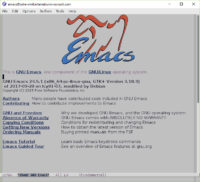
In the time honored tradition of using one’s blog as an Internet-enabled notepad, here’s a quick not on how I build GNU Emacs on macOS using homebrew and the emacs-mac port cask:

brew upgrade -s railwaycat/emacsmacport/emacs-mac --with-mac-metal --with-imagemagick --with-native-comp --with-modern-icon --with-natural-title-bar

This - amongst other features - turns on some experimental macOS-relevant features and most importantly, the optional native compilation of Elisp code.
Timo Geusch

2-Minute Read

I’ve been trying to up my use-package game recently and converted my hand rolled package check and installer to use-package. I usually prefer to use packages from melpa-stable so I pin the default package source used by use-package to melpa-stable and override it where necessary That’s working well in general and looks something like this:

(setq use-package-always-pin "melpa-stable")

(use-package js2-mode
  :ensure t
  :defer  t
  :custom
    (progn (js-indent-level 2)
           (js2-include-node-externs t)))

(use-package kotlin-mode
  :ensure t
  :pin melpa)

So in other words, if I’m on a machine that doesn’t have js2-mode and kotlin-mode installed, use-package will install js2-mode from melpa-stable and kotlin-mode from melpa. So far, so good.

Timo Geusch

1-Minute Read

In Emacs, I usually end up enabling the same set of minor modes when I use one of my “writing modes”, namely modes like markdown-mode and org-mode. Enabling a single minor mode automatically is generally pretty easy via the appropriate mode hook, but enabling more than one minor mode requires one more level of indirection. Of course it does, because everything in computer science requires one more level of indirection :).

Timo Geusch

2-Minute Read

My previous instructions for installing a newer Emacs version on Ubuntu still work. Ubuntu (and in my case, XUbuntu) 19.04 ships with Emacs 26.1 out of the box. As usual I want to run the latest version - Emacs 26.3 - as I run that on my other Linux, FreeBSD and macOS machines.

I only had to make one small change compared to the older instructions. Instead of running the versioned sudo apt-get build-dep emacs25 I ran sudo apt-get build-dep emacs. Once the dependencies are installed, you’re a configure/make/make install away from having a working Emacs 26.3:

Timo Geusch

2-Minute Read

In a previous post I mentioned that I upgraded my homebrew install of Emacs after Emacs 26.2 was released, and noticed that I had lost its GUI functionality. That’s a pretty serious restriction for me as I usually end up with multiple frames across my desktop. I did end up installing the homebrew Emacs for Mac tap which restored the GUI functionality. It had have one niggling problem for me, though. My muscle memory says that I use Shift-Meta-7 (aka Meta-/ ) for keyword expansion as I use a German keyboard layout most of the time. Unfortunately, with Meta mapped to the Apple Command key, Shift-Meta-7 is a menu shortcut. Instead of expanding keywords, I kept opening menus. That clearly wouldn’t do.

Timo Geusch

3-Minute Read

I’ve blogged about building Emacs 26 on WSL before. The text mode version of my WSL build always worked for me out of the box, but the last time I tried running an X-Windows version, I ran into rendering issues. Those rendering issues unfortunately made the GUI version of Emacs unusable on WSL. Nothing like missing the bottom third of your buffer to cramp your style. Or your editing.

Going all in with Emacs 26.2 with Cairo

I’ve just built the newly released Emacs 26.2 on my Ubuntu WSL with the options –with-cairo –with-x-toolkit=gtk and it looks like the rendering has improved massively. I’ve also recently upgraded VcXsrv to version 1.20.1.1, so it’s not quite clear to me if this is due to improved compatibility of WSL itself, changes between Emacs 26.1 and 26.2, or the fact that I turned on Cairo or VcXSrv upgrade.

Timo Geusch

1-Minute Read

I finally got around to upgrading my OS X installation from Mojave to High Sierra - my OS update schedule is usually based on the old pilot wisdom of “don’t fly the A model of anything”. As part of the upgrade, I ended up reinstalling all homebrew packages including Emacs to make sure I was all up to date. That proved to be a big mistake as I suddenly had a GUI-less Emacs. Of course I found the post on Irreal about the Emacs homebrew package being broken on Mojave after, well, I noticed that my Emacs GUI wasn’t working. Oops.

Timo Geusch

1-Minute Read

I’m experimenting with screen recordings at the moment and just out of curiosity decided to see if I can load and edit a text file inside the main Emacs process from inside an ansi-term using emacsclient.

Spoiler alert - yes, you can. At least the way it is set up on my system, emacsclient doesn’t play with text mode (-nw) as it doesn’t recognise eterm-color as a valid terminal type, but loading and editing the file into the GUI works flawlessly.

Timo Geusch

4-Minute Read

I’ve had the Linux Subsystem for Windows enabled for quite a while during the time it was in Beta. With the release of the Fall Creators Update, I ended up redoing my setup from scratch. As usual I grabbed Emacs and a bunch of other packages and was initially disappointed that I was looking at a text-mode only Emacs. That might have something to do with the lack of an X Server…

For a free X Server on Windows, I had a choice of Xming and VcXsrv. I used Xming a long time ago and I’m happy to pay for software, but decided to go with something free for this initial proof of concept. Plus, I was curious about VcXsrv, so I picked that. I really like that its installer includes everything I needed right out of the box, including the fonts.

Timo Geusch

1-Minute Read

Emacs 25.3 has been released on Monday. Given that it’s a security fix I’m downloading the source as I write this. If you’re using the latest Emacs I’d recommend you update your Emacs. The vulnerability as been around since Emacs 19.29, you probably want to upgrade anyway.

Build instructions for Ubuntu and friends are the same as before, the FreeBSD port appears to have been updated already and I’m sure homebrew is soon to follow if they haven’t updated it already.

Recent Posts

Categories

About

A developer's journey. Still trying to figure out this software thing after several decades.