
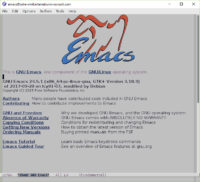
I’ve blogged about building Emacs 26 on WSL before. The text mode version of my WSL build always worked for me out of the box, but the last time I tried running an X-Windows version, I ran into rendering issues. Those rendering issues unfortunately made the GUI version of Emacs unusable on WSL. Nothing like missing the bottom third of your buffer to cramp your style. Or your editing.
Going all in with Emacs 26.2 with Cairo
I’ve just built the newly released Emacs 26.2 on my Ubuntu WSL with the options –with-cairo –with-x-toolkit=gtk and it looks like the rendering has improved massively. I’ve also recently upgraded VcXsrv to version 1.20.1.1, so it’s not quite clear to me if this is due to improved compatibility of WSL itself, changes between Emacs 26.1 and 26.2, or the fact that I turned on Cairo or VcXSrv upgrade.